

Here’s the truth: Calling something “AI Music” doesn’t really mean all that much, because that can mean a whole lot of things. That’s because there’s an ever-growing list of AI-generated music tools, and also the types of AI tools to make music keep expanding.
Not all AI tools are the same. Some generate complete songs in one click, while others just suggest chord progressions or handle the mastering stage.
If you’re curious about what these platforms do, how they use AI, and how they interact with human songwriting, we’ve got a breakdown for you.
Here are the various types:
1. Prompt-to-Song Generators
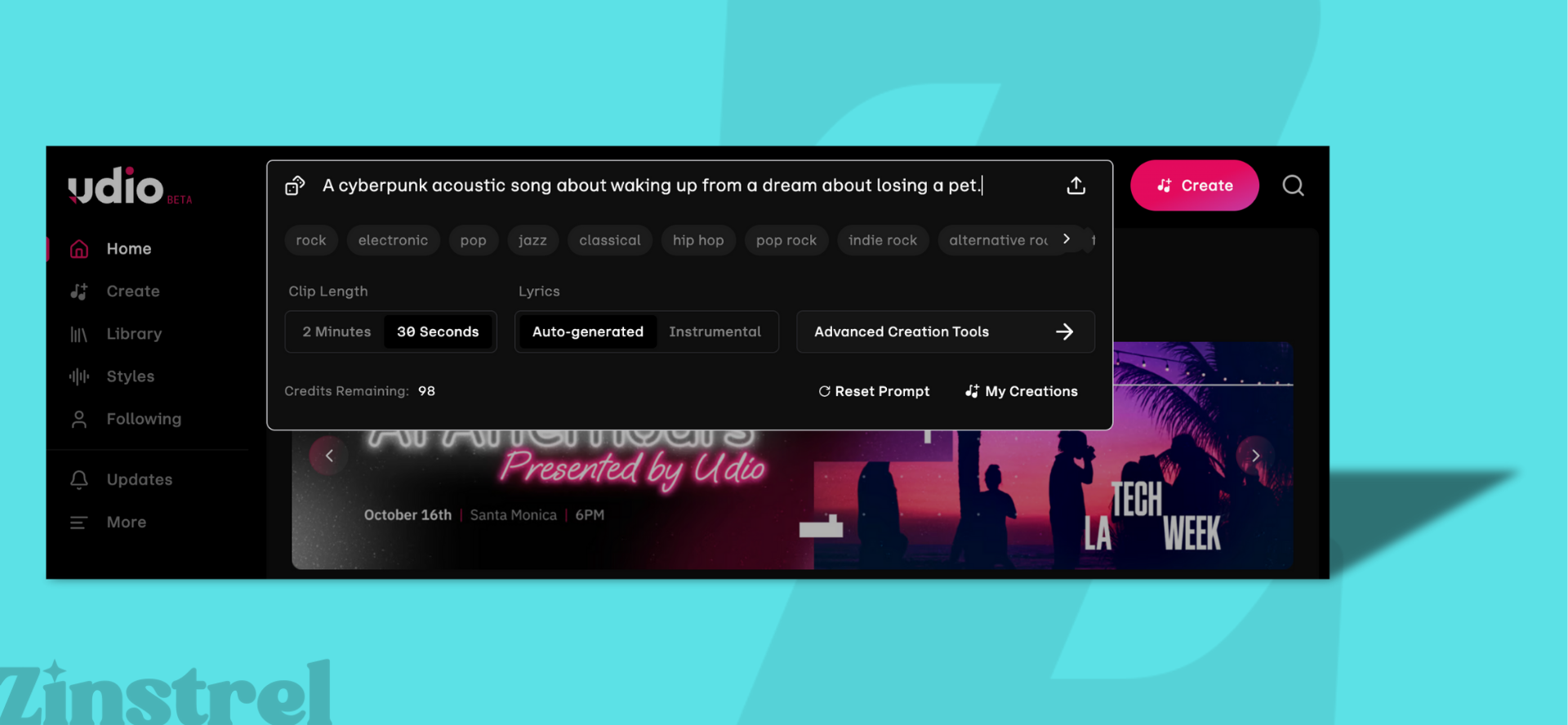
Examples: Suno, Udio, Boomy, Loudly, ElevenMusic, CassetteAI, ProducerAI, Splash Pro, SOUNDRAW
How they work: These are the “one-click song” platforms. Some let you type in a free-form text prompt (like “moody indie pop with female vocals”), while others only let you pick from menus of genres, moods, or themes. Either way, the AI generates a finished track — often with instruments, lyrics, and vocals.
Technical layer:
Lyrics and structure: Natural Language Processing (NLP) handles rhyme, meter, and phrasing (for platforms that generate vocals).
Music: Neural audio models predict sound waveforms or spectrograms frame by frame, building the song one slice of audio at a time.
Vocals: Voice models synthesize timbre and inflection, then blend them into the track.
User-facing result: A polished, radio-ready track from a single input — whether typed or menu-based.
AI-generated: Lyrics, vocal melodies, instrumental arrangement, mixing polish.
Not AI-generated: The interface itself (menus, sliders), and any editing you do after export in a DAW.
2. Algorithmic / Generative Loop Platforms

Examples: AIVA, Mubert, Beatoven
How they work: These don’t generate “songs” so much as endless background soundtracks. Often used for streams, games, or content creators, you pick a mood, genre, or energy level, and the AI generates seamless loops.
Technical layer:
MIDI prediction: Neural nets predict patterns.
Layering: Sample banks of drums, bass, and synths are stitched together.
Transitions: Algorithms smooth changes for uninterrupted playback.
User-facing result: Continuous music tailored to mood/tempo.
AI-generated: Loops, transitions, phrase structures.
Not AI-generated: Fixed sound libraries, user settings for tempo or mood.
3. Multitrack DAWs with AI Features
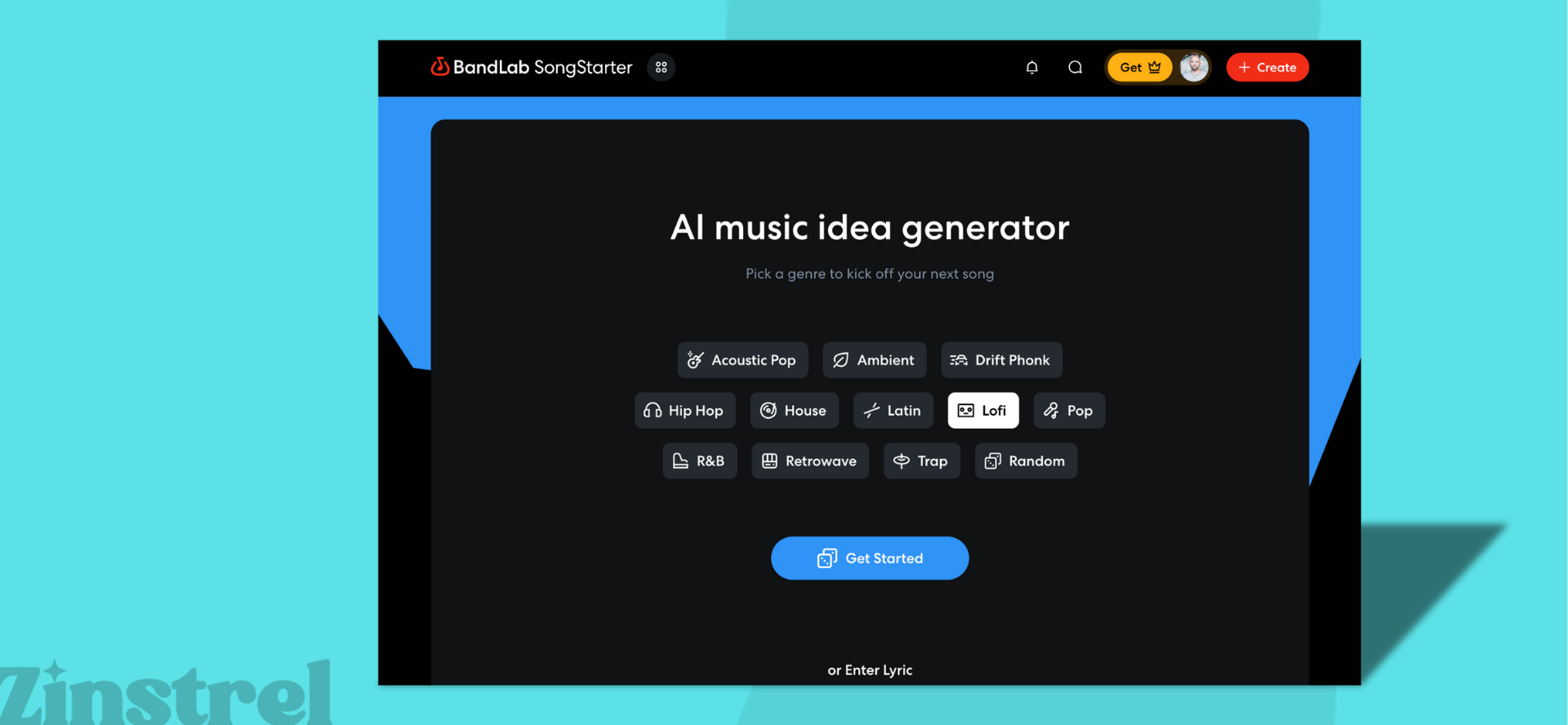
Examples: BandLab Song Starter, Moises, Soundful
How they work: These look like traditional digital audio workstations (DAWs) but include AI helpers for songwriting and production.
Technical layer:
Composition help: AI trained on MIDI files suggests chords, melodies, or rhythms.
Mixing help: Machine learning recommends EQ, compression, and balance.
Style transfer: Some tools let you shift a track into another genre.
User-facing result: A familiar DAW workflow with optional AI support.
AI-generated: MIDI ideas, auto-mix/master settings, genre conversion.
Not AI-generated: The DAW interface, manual arranging, live recordings, and user-mixed choices.
4. AI Voice & Clone Tools
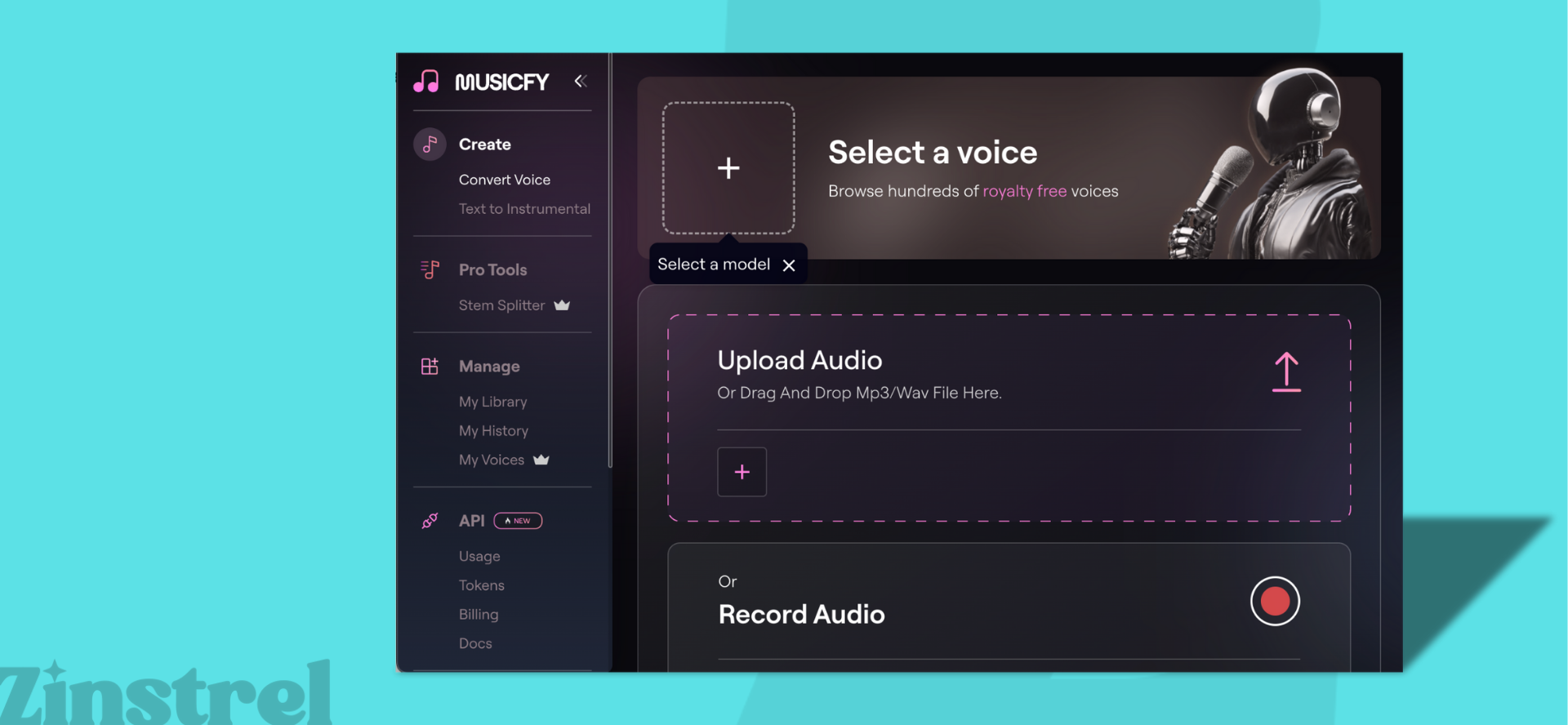
Examples: Kits.AI, ElevenLabs, Musicfy, OpenVoice
How they work: These tools can clone real singers’ voices (with permission) or provide pre-trained synthetic voices that sing lyrics or melodies you provide.
Technical layer:
Voice cloning: Speaker embeddings plus text-to-speech (TTS).
Singing synthesis: Phoneme prediction mapped to pitch and rhythm.
Expression: Some systems model vibrato, breath, and emphasis.
User-facing result: Any lyric or melody can be sung in that voice.
AI-generated: Vocal timbre, phoneme-to-audio rendering, expressive inflection.
Not AI-generated: The lyrics you write, the melody you supply, the mixing afterward.
5. AI Mastering & Mixing Tools

Examples: LANDR, iZotope Ozone (AI features), Moises, Masterchannel
How they work: Upload your track and the AI instantly balances EQ, compression, and loudness.
Technical layer:
Analysis: Compares your mix against huge libraries of mastered tracks.
Processing: CNNs detect frequency issues.
Adjustment: Algorithms set limiter, stereo balance, tonal profiles.
User-facing result: A polished master in minutes.
AI-generated: EQ, compression/limiting, stereo balance.
Not AI-generated: The music itself, any manual overrides, export formatting.
6. Stem Generators & Variators
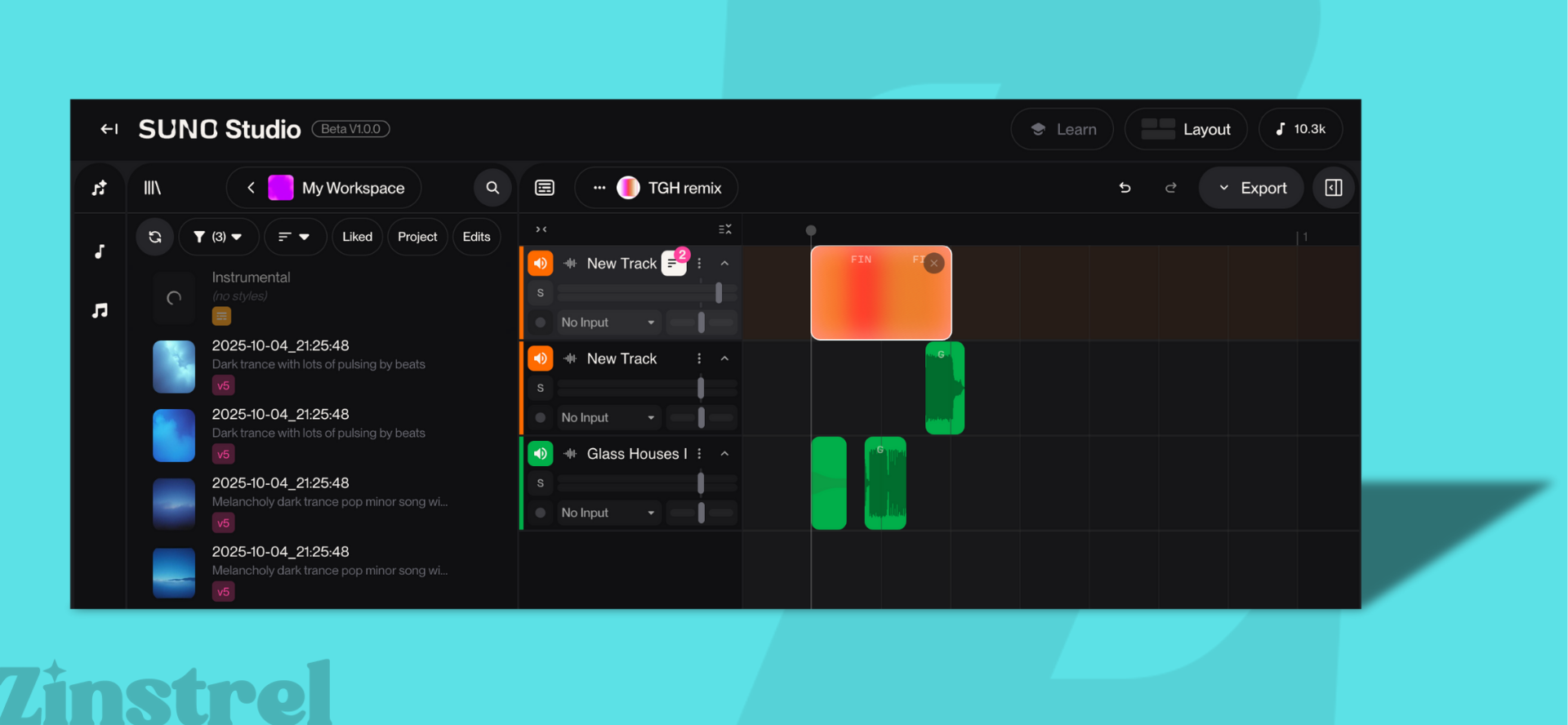
Examples: Suno Studio, Mubert, AIVA, Riffusion
How they work: You upload stems (isolated vocals, drums, guitar, etc.) or a full track, and the AI creates endless variations. Think swapping drum grooves, reharmonizing chords, or shifting the vibe into a new mood or genre.
Technical layer:
Source separation: Algorithms split tracks into usable stems.
Variation: GANs or diffusion models create new grooves, melodies, or layers.
Adjustment: Pitch- and tempo-shifting models keep everything sounding natural.
User-facing result: Infinite remix options from one idea.
AI-generated: Stem separation, variations, pitch/time adjustments.
Not AI-generated: The stems you upload, manual mixing, added effects.
7. AI Plugins, Browser Tools & Open-Source Code

Examples: LANDR, Google Magenta NSynth, Mubert API
How they work: This category blends the technical with the accessible. “AI plugins” now include not only DAW-based instruments, but also browser extensions, online generators, and open-source frameworks that use machine learning to make or manipulate music. Some (like Orb Producer Suite) integrate directly into production software, while others (like Magenta NSynth or Mubert’s API) run entirely in your browser or code environment — letting anyone create new sounds, sequences, or remixes without installing heavy software.
Technical layer:
MIDI & pattern generation: Machine learning models predict the next note, chord, or rhythm based on vast musical datasets.
Sound synthesis: Neural networks model and blend timbres — e.g., combining a flute and electric guitar to create a new hybrid sound.
Browser integration: Smaller, faster AI models can now run locally in browsers, powering remixers, lyric assistants, or background music engines.
Open-source experimentation: Developers can access, fork, or retrain these models to build new tools and embed AI-driven composition or mixing features in their own apps.
User-facing result: A growing ecosystem of AI-powered creativity — from studio-grade plugins to lightweight browser and code-based tools.
AI-generated: MIDI sequences, timbres, hybrid sounds, and generative remixes.
Not AI-generated: The host environment (DAW, browser, or code), and any manual creative input or editing.
Where to explore AI music plugins and code:
Google Magenta: Open research tools like NSynth, MusicVAE, and DrumBot.
Riffusion: An open diffusion model that converts text into musical spectrograms.
Hugging Face: Thousands of community-built AI music models you can test or integrate.
GitHub: A central hub for AI remixers, generators, and music APIs under open licenses.
Browser extensions & APIs: Platforms like Mubert or Melobytes offer embeddable AI generators for websites and creative tools.